
Improve your English grammar
With Friends!
TalkGrammar checks every message for grammar mistakes while you chat — so you and your friends can talk about anything and get better at English without a tutor, a textbook, or an AI on the other end.
TalkGrammar checks every message for grammar mistakes while you chat — so you and your friends can talk about anything and get better at English without a tutor, a textbook, or an AI on the other end.
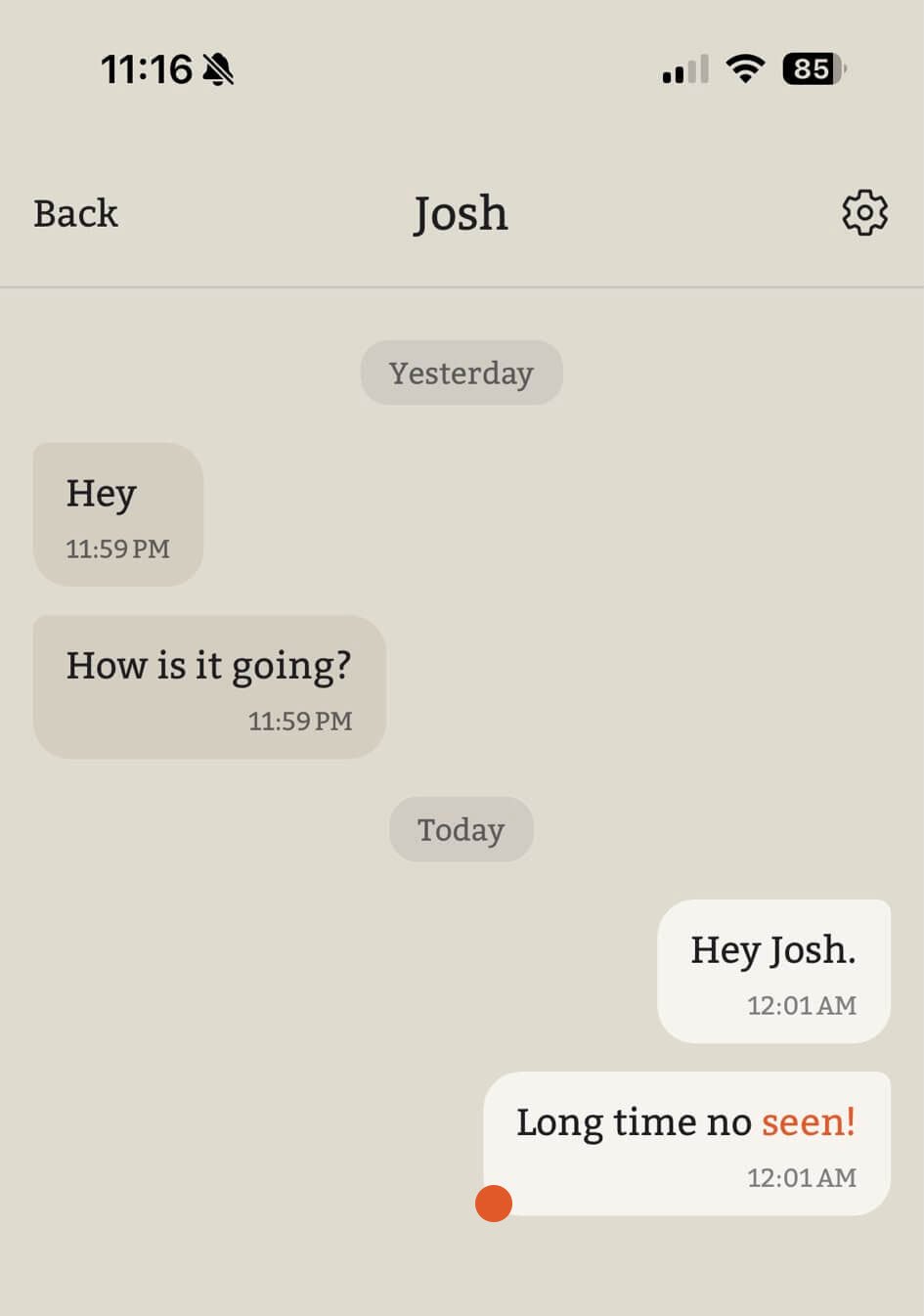
Stop practicing with repetitive bots and start having real conversations with real friends. TalkGrammar works in the background of your live chats to catch and correct mistakes instantly. Perfect your grammar naturally, one message at a time.
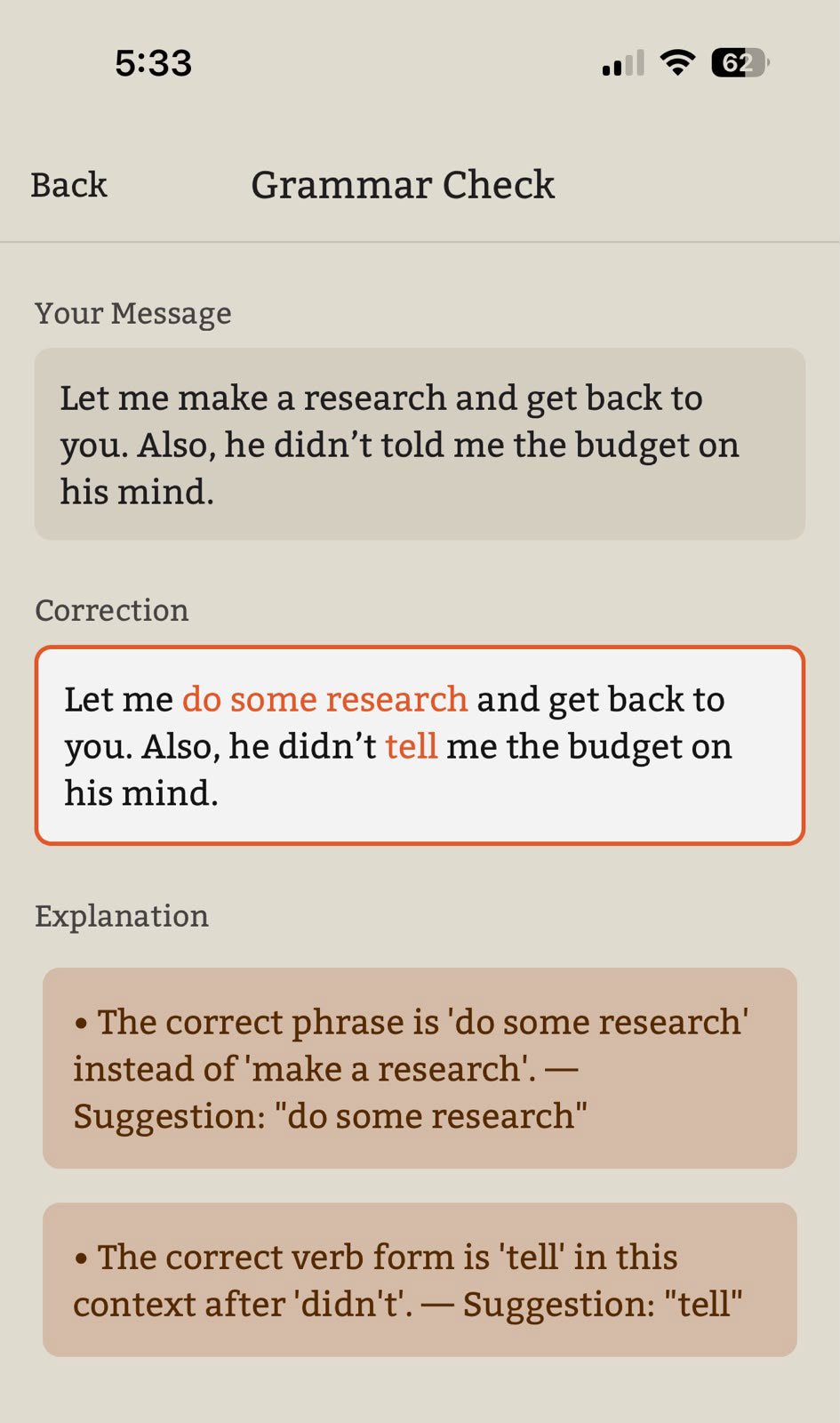
Real improvement happens when you stop ignoring mistakes. This app spots errors instantly while you chat with friends, making grammar practice seamless, rapid and genuinely fun. Upgrade your writing effortlessly with every single message.
No drills, no vocab lists. Just conversations with people you actually want to talk to.
Talk about what you actually care about, not a textbook prompt or a scripted lesson.
See mistakes fixed the moment you make them, mid-conversation, not after the fact.
Practice with friends or language partners, never a script pretending to be one.
For more questions feel free to contact us.
TalkGrammar offers a free tier that allows you to process a limited number of messages. Once you reach this limit, you can upgrade to a paid monthly subscription to unlock unlimited usage and continued access to all features.
Yes! TalkGrammar connects you with real people for real-life conversations. For you and a friend to interact, make sure you both have the app installed. You can easily invite them to join you directly from the app!
Currently, TalkGrammar supports only English.
Yes, your chat is private and only visible to you and your friend. However, because TalkGrammar processes text to provide real-time grammar assistance, the chats are not end-to-end encrypted.
You retain full control over your data: if you choose to delete a chat room, all associated messages are permanently deleted from our system. We do not save or retain any of your messages once a chat room has been deleted.